Checklists
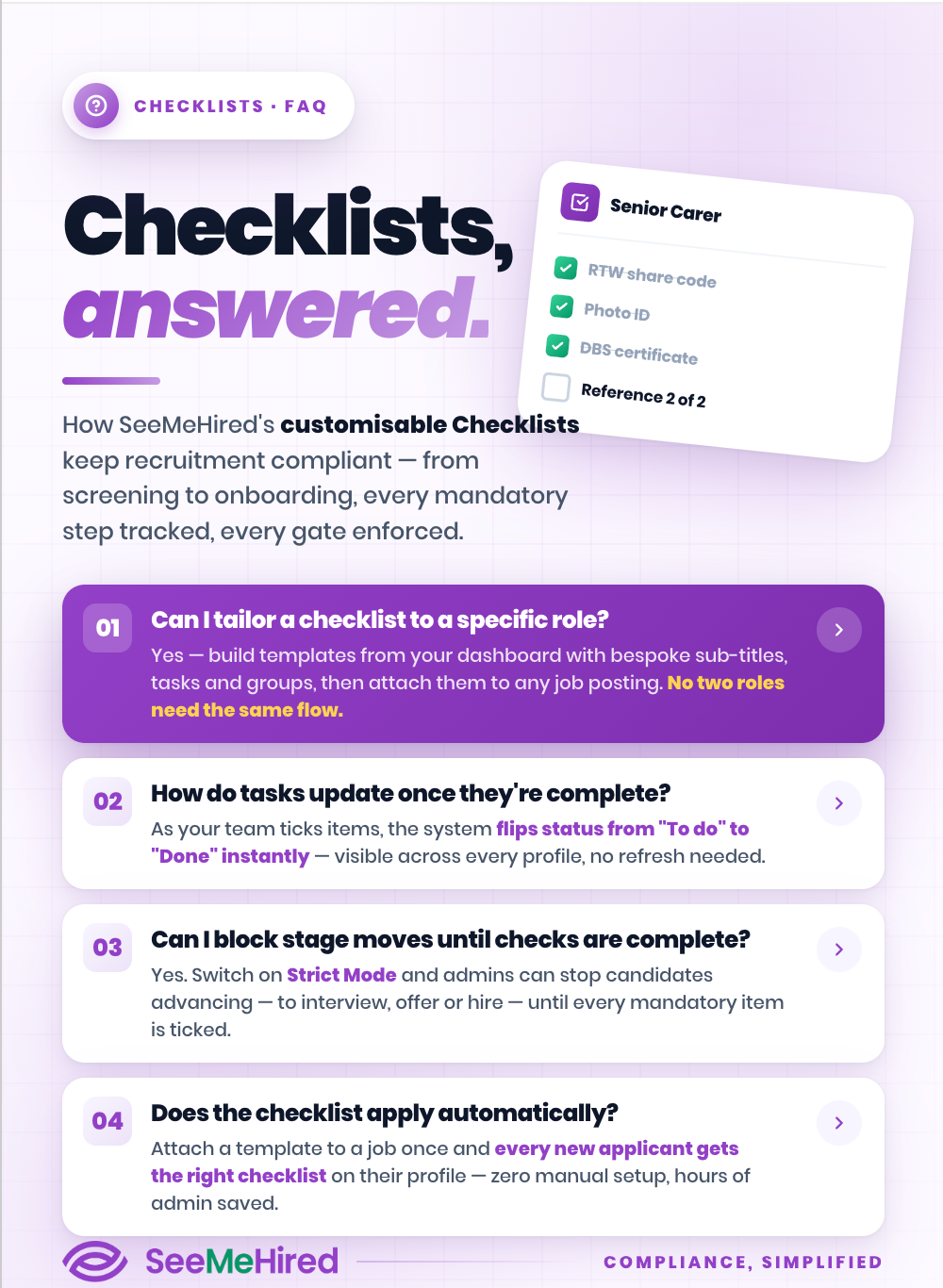
Create clear, consistent hiring checklists that help your team manage every step of the recruitment process. From screening to onboarding, keep tasks organised, reduce missed steps and make sure every candidate journey runs smoothly.
Let's Talk
Ensure Flawless Compliance
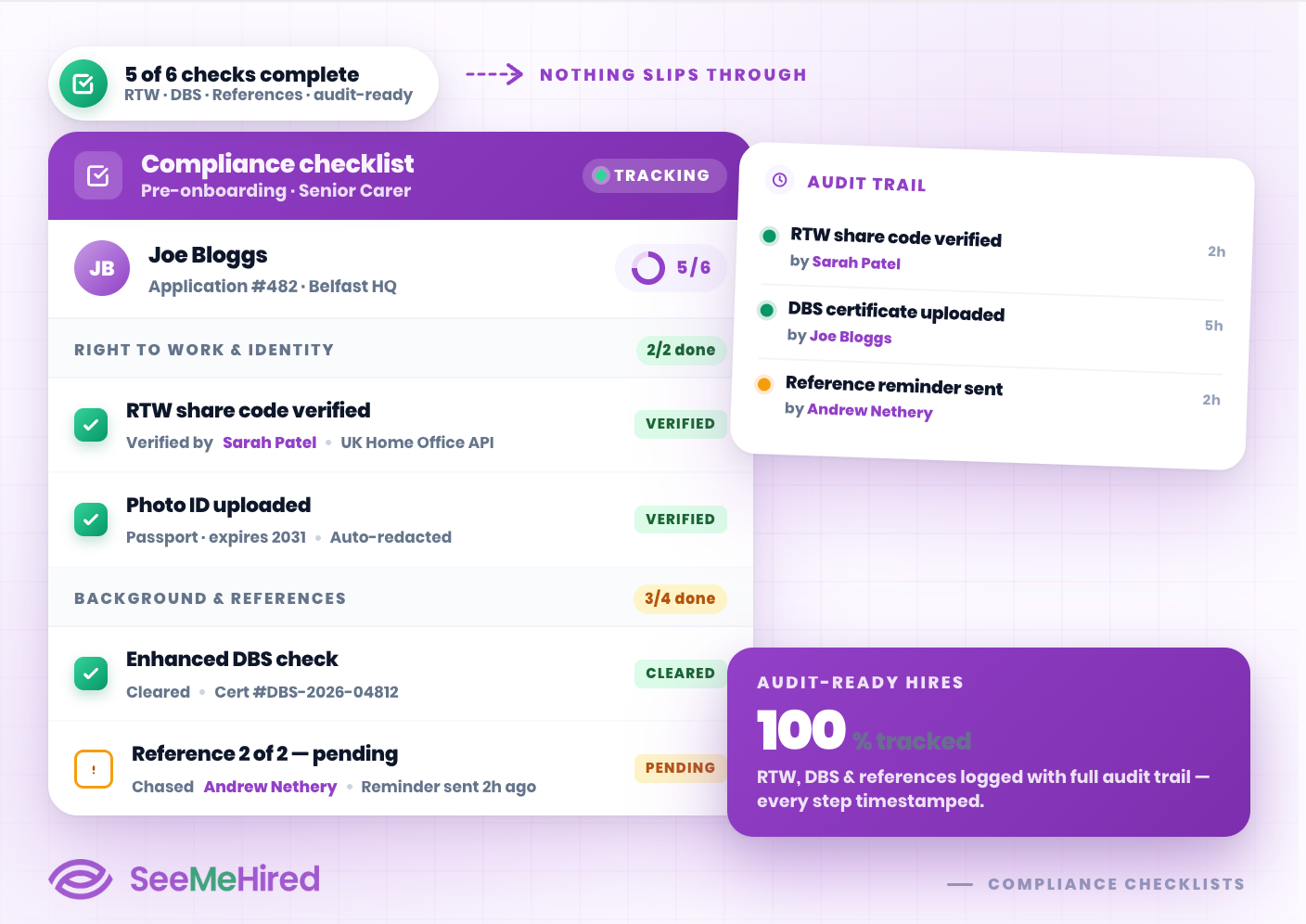
Maintain perfect compliance across your entire hiring process. SeeMeHired’s Checklists feature allows you to accurately track completed tasks for every individual candidate.
Whether you are monitoring Right to Work documents, DBS checks, or reference collections, our intuitive checklists ensure that your HR team never misses a crucial step.
Fully Customisable Templates
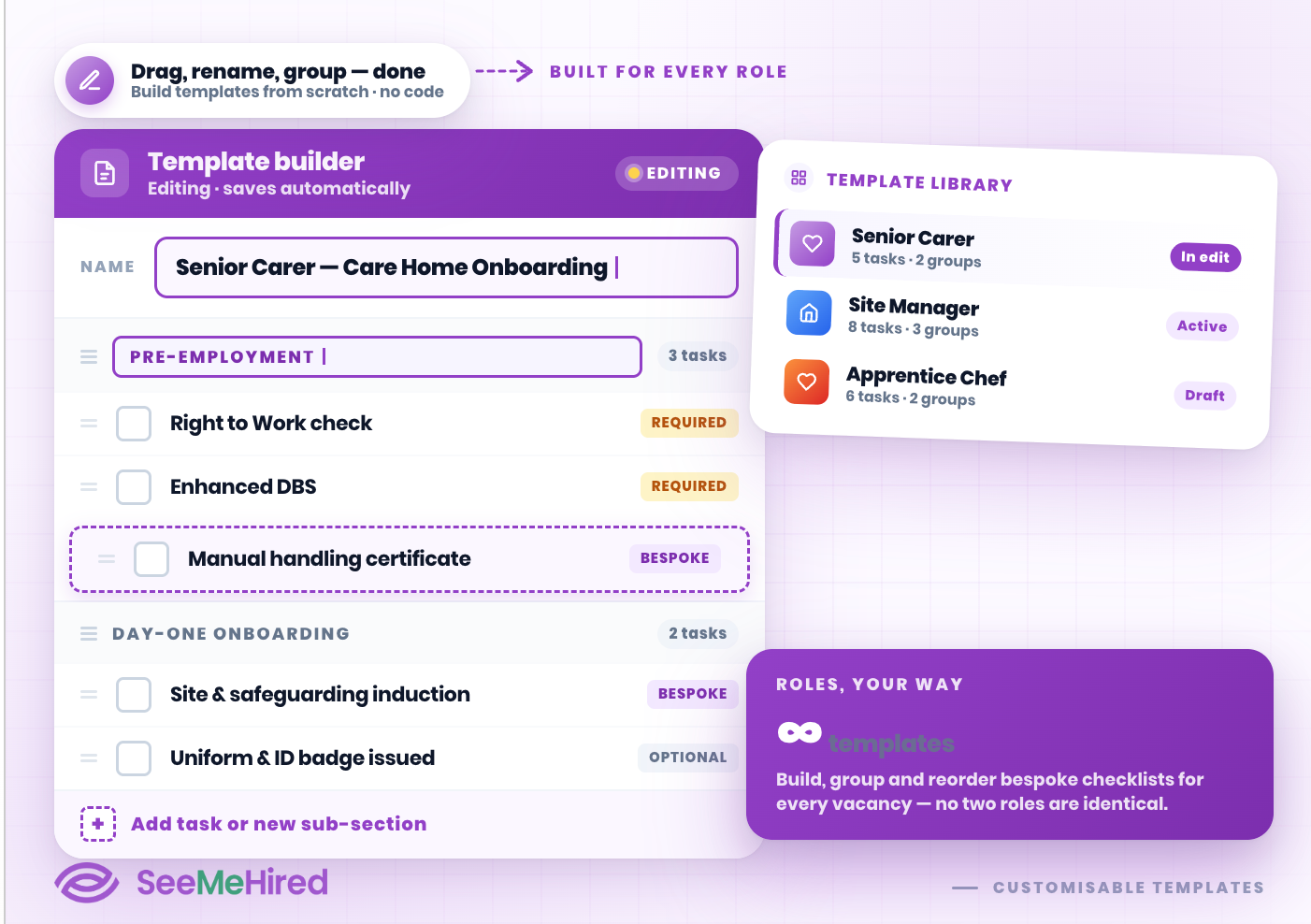
Tailor your workflows to suit your exact business needs. Because no two roles are identical, SeeMeHired lets you build fully customisable checklist templates directly from your dashboard.
You can easily create unique sub-titles, add bespoke tasks, and arrange items into logical groups, ensuring your hiring managers always follow the correct procedures for specific vacancies.
Real-Time Progress Tracking
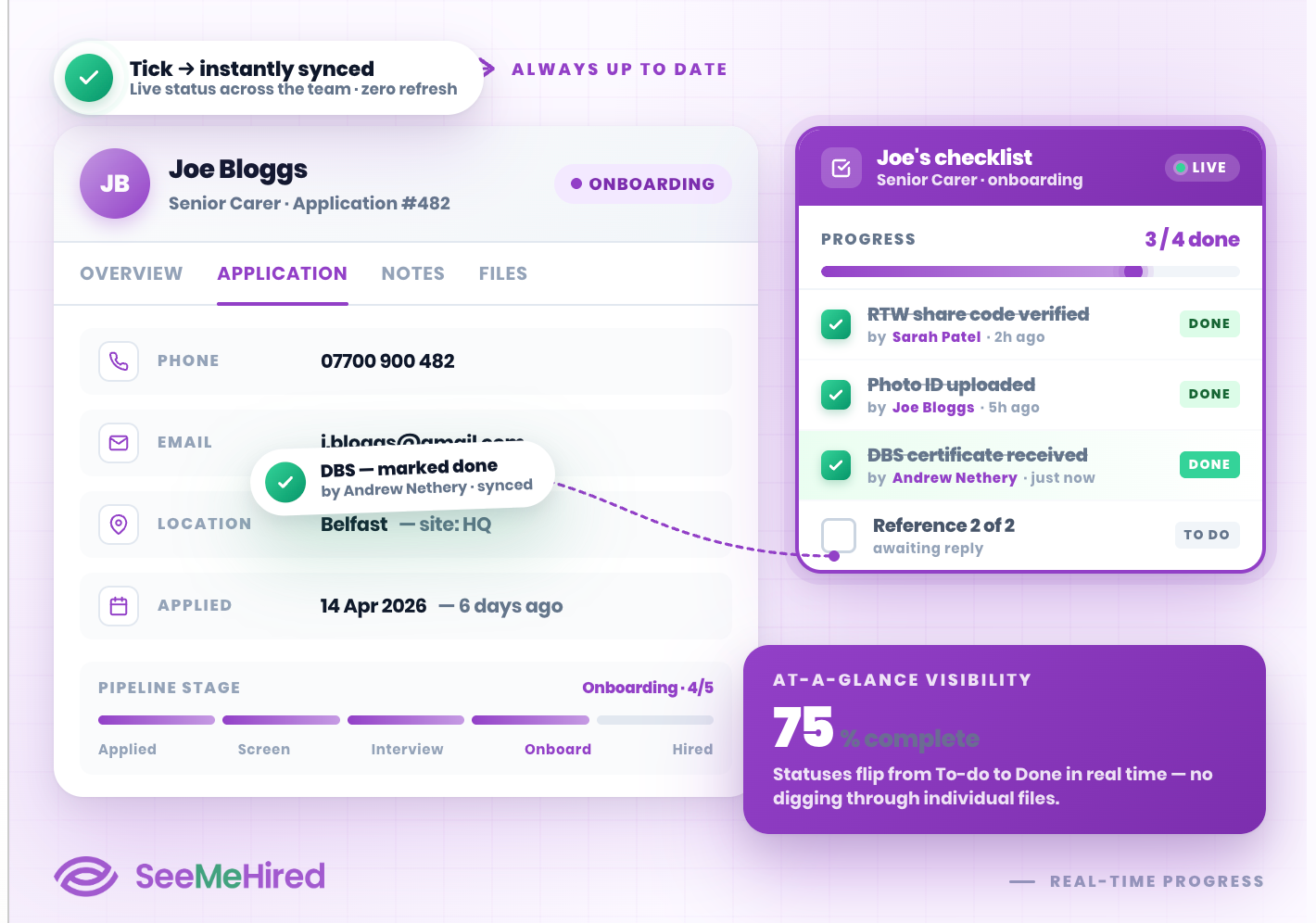
Keep your recruitment pipeline moving with real-time tracking. When you open a candidate's profile, their dedicated checklist appears clearly on the right-hand side of the screen.
As your team ticks off items, the system instantly updates their status from 'To do' to 'Done', giving you immediate, at-a-glance visibility over outstanding actions without needing to dig through individual files.
Stage-Gate Your Pipeline
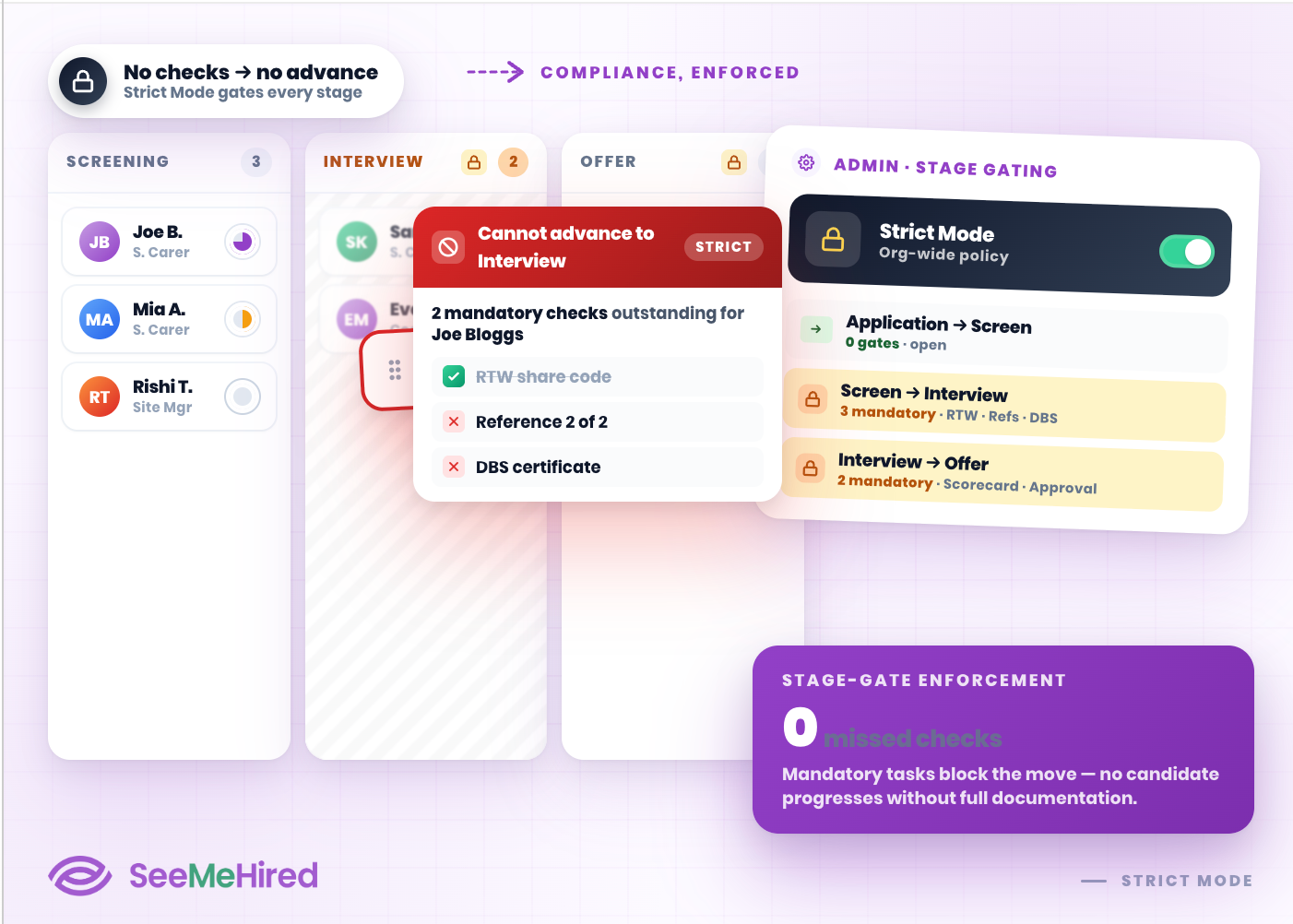
Lock down your hiring stages with our powerful 'Strict Mode' setting. SeeMeHired empowers administrators to prevent applicants from being moved to the next recruitment stage unless specific checklist tasks are successfully completed.
This automated stage-gating guarantees that hiring managers collect all mandatory documentation before a candidate can be interviewed or officially offered a role.
Seamless Job Integration
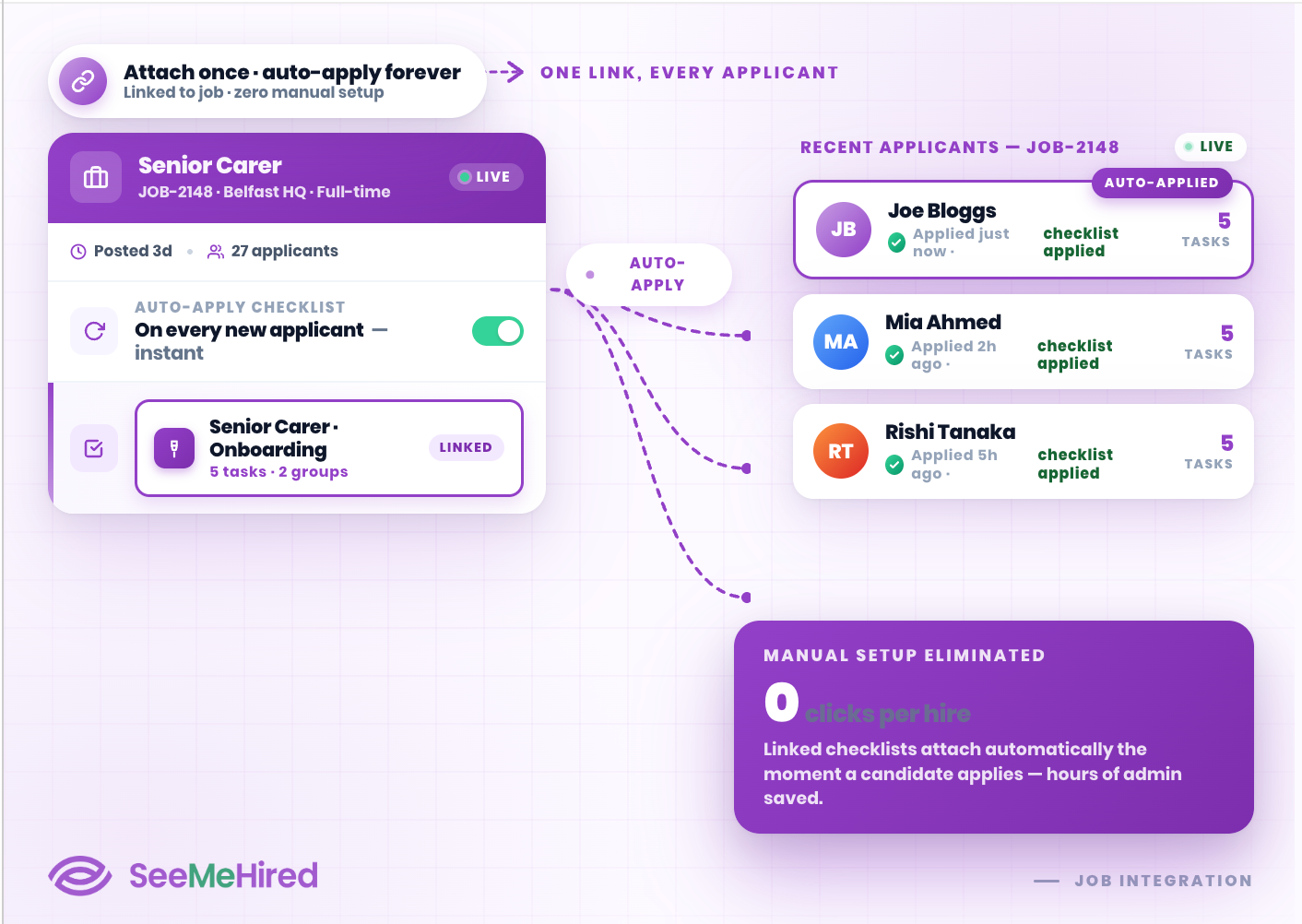
Automate your compliance from the moment a vacancy goes live. Once your bespoke checklist templates are created, you can seamlessly attach them directly to your active job postings or master job templates.
Any candidate applying for that specific role will automatically have the correct checklist applied to their profile, saving your team hours of manual administrative setup.